Tilt shift effect
Add blur to the top and bottom of the entire layer or object. Perfect to simulate a tiny world or a camera focus effect.
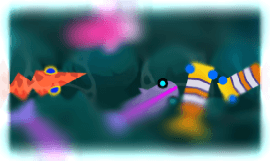
The Blur property sets how strong the blur is at the top and bottom, while the Gradient blur controls how gradually the image goes from sharp (in the middle) to blurred (towards the edges). A larger gradient blur keeps a wider band in focus.
Reference
All effects are listed in the effects reference page.